
最近项目中需要用到office文件在线编辑功能,然而很多解决方案都是收费的,于是决定采用微软免费的microsoft office online 2016和wopi 协议来实现。
wopi 协议
WOPI的英文全称是“Web Application Open Platform Interface”,中文名为“Web应用程序开放平台接口协议”。WOPI协议提供一系列基于web方式的,使文档能在 Office Web Apps 中查看与编辑的接口服务。
只要 web 应用按照标准,实现了 WOPI 的接口,那么就可以调用 Office Web Apps,实现文档的在线预览编辑。比如 SharePoint,Exchange,SkyDriver,Dropbox 集成了 Office Web Apps。
在 WOPI 结构中,存放Office文档的 web 应用叫 WOPI Host 或者 WOPI Server。把查看编辑操作 Office 文档的 web 应用叫 WOPI Client 或者叫 WOPI applications。SharePoint,Exchange,自己开发的文档管理系统充当的就是 WOPI Host,Office Web Apps 充当的就是 WOPI Client 。
Office开发团队对WOPI的介绍:http://blogs.msdn.com/b/officedevdocs/archive/2013/03/21/introducing-wopi.aspx。
Office Web Apps服务器概述:http://technet.microsoft.com/en-us/library/jj219437.aspx。
开发环境
office online的安装教材网上很多,这里就不再赘述了。安装好office online,然后按照下面的步骤进行wopihost的开发。我用的开发环境是jkd1.8,spring boot。
我们需要实现3个接口
GET api/wopi/files/{name}
GET api/wopi/files/{name}/contents
POST api/wopi/files/{name}/contents
其中第一个接口获取文件的信息,返回的是json数据格式,第二个是获取文件流,第三个是保存修改文件。
接口实现
先看下获取文信息接口的实现:
@GetMapping("/files/{name}")
public void getFileInfo(HttpServletRequest request, HttpServletResponse response) {
    String uri = request.getRequestURI();
    FileInfo info = new FileInfo();

    try  {
        // 获取文件名, 防止中文文件名乱码
        String fileName = URLDecoder.decode(uri.substring(uri.indexOf("wopi/files/") + 11), CHARSET_UTF8);
        if (fileName != null && fileName.length() > 0) {
            File file = new File(filePath + fileName);
            if (file.exists()) {
                info.setBaseFileName(file.getName());
                info.setSize(file.length());
                info.setOwnerId("admin");
                info.setVersion(file.lastModified());
                info.setSha256(getHash256(file));
            }
        }

        ObjectMapper mapper = new ObjectMapper();
        response.setContentType(MediaType.APPLICATION_JSON_UTF8_VALUE);
        response.getWriter().write(mapper.writeValueAsString(info));
    } catch (Exception e) {
        logger.error("getFileInfo failed, errMsg: {}", e.toString());
        e.printStackTrace();
    }
}
然后是获取文件流接口的实现:
@GetMapping("/files/{name}/contents")
public void getFile(@PathVariable String name, HttpServletResponse response) {
    // 文件的路径
    String path = filePath + name;
    File file = new File(path);
    String filename = file.getName();

    try (InputStream fis = new BufferedInputStream(new FileInputStream(path));
         OutputStream toClient = new BufferedOutputStream(response.getOutputStream())) {
        byte[] buffer = new byte[fis.available()];
        fis.read(buffer);
        // 清空response
        response.reset();

        // 设置response的Header
        response.addHeader("Content-Disposition", "attachment;filename=" +
                new String(filename.getBytes(CHARSET_UTF8), "ISO-8859-1"));
        response.addHeader("Content-Length", String.valueOf(file.length()));

        response.setContentType(MediaType.APPLICATION_OCTET_STREAM_VALUE);
        toClient.write(buffer);
        toClient.flush();
    } catch (IOException e) {
        logger.error("getFile failed, errMsg: {}", e.toString());
        e.printStackTrace();
    }
}
保存文件修改的接口实现:
@PostMapping("/files/{name}/contents")
public void postFile(@PathVariable(name = "name") String name, @RequestBody byte[] content) {
    // 文件的路径
    String path = filePath + name;
    File file = new File(path);

    try (FileOutputStream fop = new FileOutputStream(file)) {
        fop.write(content);
        fop.flush();
    } catch (IOException e) {
        logger.error("postFile failed, errMsg: {}", e.toString());
        e.printStackTrace();
    }
}
###接口访问
访问http://owas.contoso.com/hosting/discovery,owas.contoso.com是配置的office online的域名,当然也可以通过IP访问,请换成自己的地址,如图:
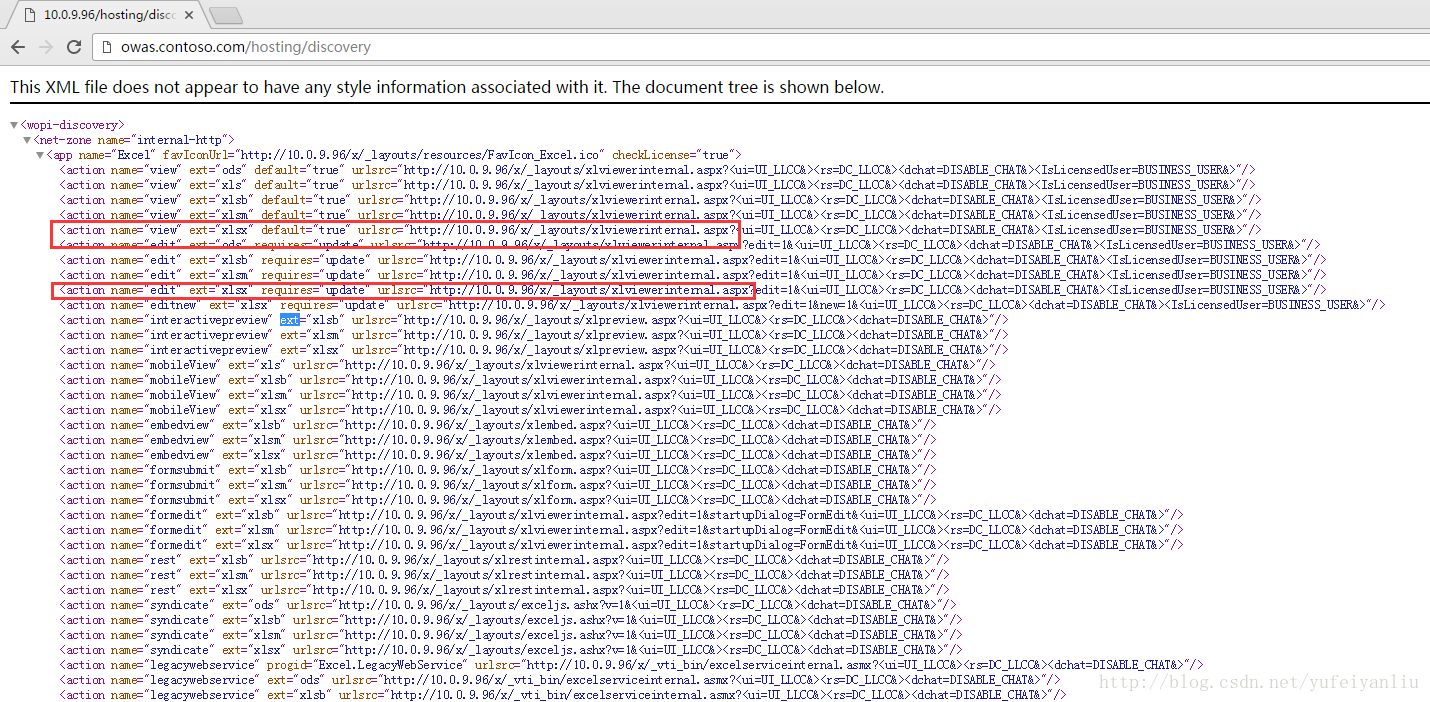
在上面可以找到对应的文件类型的请求路径。然根据上面的URL+ WOPISrc=wopiHost的接口地址
就可以实现服务了。
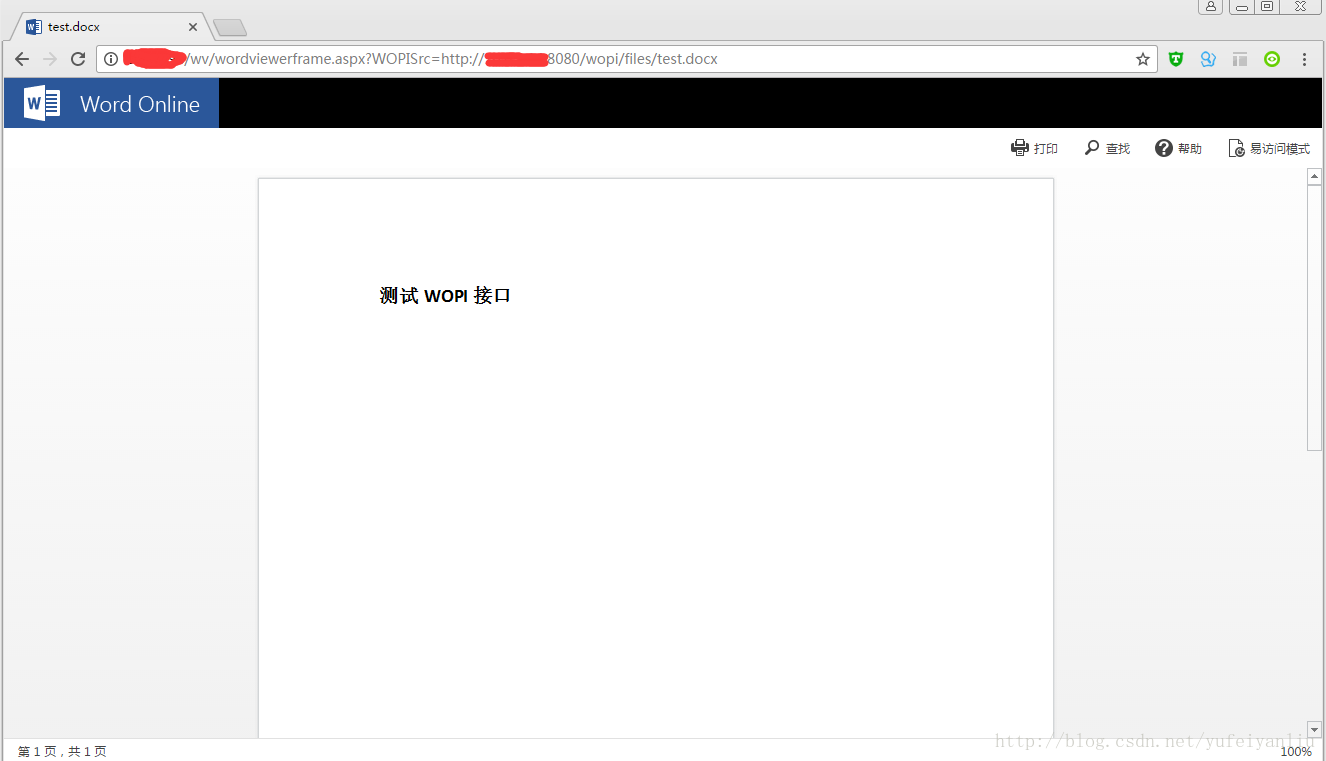
例如word文档预览
http://[owas.domain]/wv/wordviewerframe.aspx?WOPISrc=http://[WopiHost.domain]:8080/wopi/files/test.docx
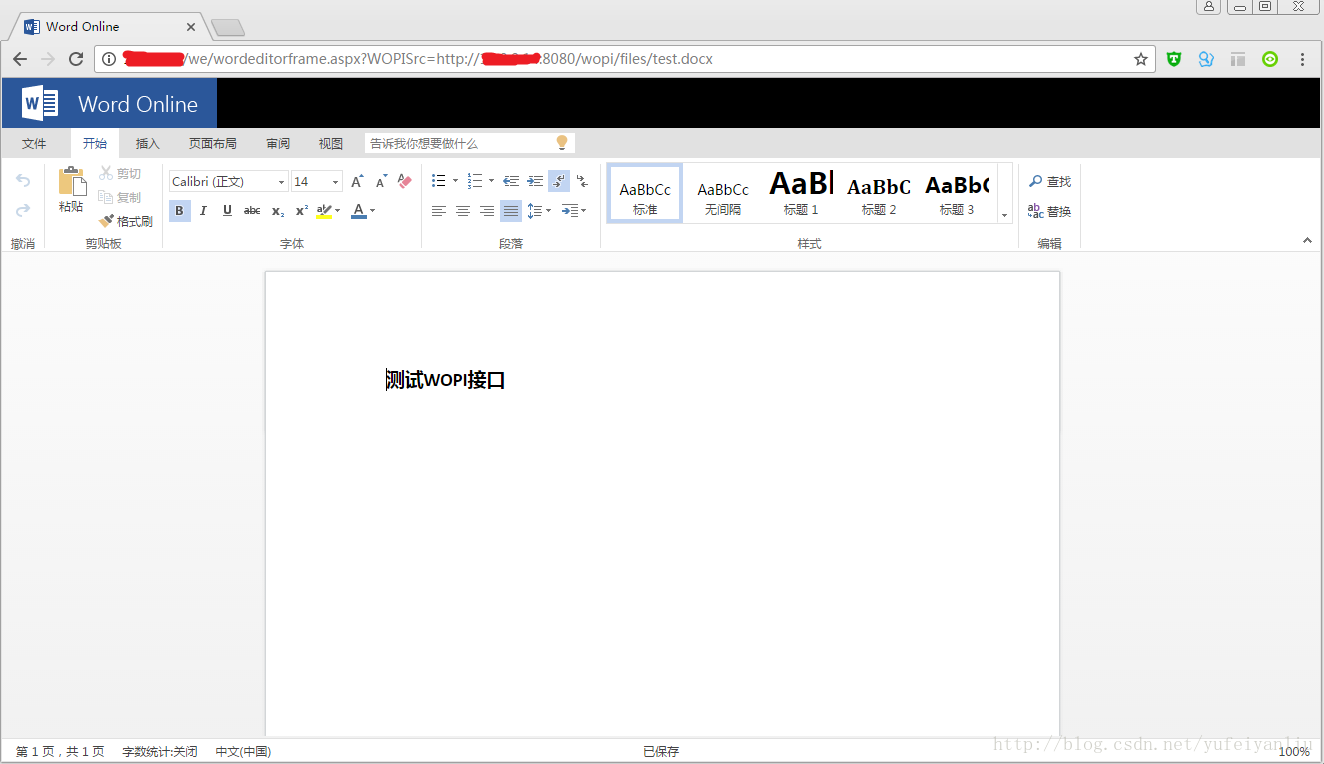
word文档编辑
http://[owas.domain]/we/wordeditorframe.aspx?WOPISrc=http://[WopiHost.domain]:8080/wopi/files/test.docx
代码已上传github,有用的话记得start一下啊__。
地址 https://github.com/ethendev/wopihost
注意:web app上没有保存按钮,是自动保存的。
参考资料
Office Online Server 概述
部署 Office Online Server
Windows Server 2012 R2 创建AD域
WOPI协议信息
Office Online Server下载地址
可以从批量许可服务中心 (VLSC) 下载 Office Online Server。
备用下载地址:http://www.0daydown.com/10/630107.html。