一.使用背景
我们在项目中使用的过程中很多时候需要转pdf,但是有很多控件不行,或者格式不对,所以很多时候只能使用Office的pdf
代码如下
二.源码
       /// <summary>
        /// Excel转PDF通过路径
        /// </summary>
        /// <param name="filePath">文件路径</param>
        /// <returns></returns>
        public string ConsultPDF(string filePath, string originName)
        {
            originName = originName.Replace(".xlsx", "");
            if (filePath.IndexOf(":", StringComparison.Ordinal) < 0) { filePath = DirFileHelper.GetMapPath("~/" + filePath); }
            string oldPath = filePath;
            string newPath = DirFileHelper.GetFilePath(filePath) + "\\" + originName + ".pdf";
            string result = "";
            ApplicationClass application = null;
            Workbook workBook = null;

            try
            {
                application = new ApplicationClass();
                workBook = application.Workbooks.Open(oldPath);
                workBook.ExportAsFixedFormat(XlFixedFormatType.xlTypePDF, newPath, XlFixedFormatQuality.xlQualityStandard, true, false);

                result = newPath;
            }
            catch (Exception ex)
            {
                result = "false:" + ex.Message;
            }
            finally
            {
                if (workBook != null)
                {
                    workBook.Close(true);
                }
                if (application != null)
                {
                    application.Quit();
                }
                GC.Collect();
                GC.WaitForPendingFinalizers();
            }
            string serverPath = DirFileHelper.GetMapPath("~/");
            result = result.Replace(@"" + serverPath, "");
            return result;
        }
网上组件配置
打开comexp.msc -32
2、Microsoft Excel Application、和Microsoft Word 97-2003 Document属性里面进行配置,如下:
标识:设为“交互式用户”
安全:启动和激活权限添加“NETWORK SERVICE”,勾选本地启动和本地激活,访问权限添加类似
异常解决办法
当我们使用了这个插件之后也在网上使用了组件服务配置,但是发现如果在服务器上使用,有时候会掉线
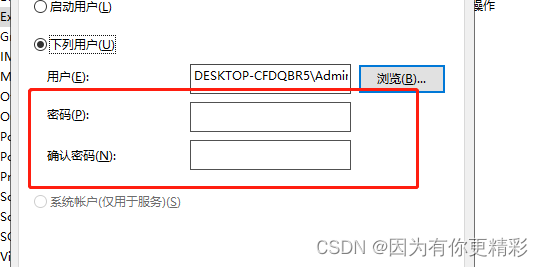
其实如果要解决,实际上是我们组件服务配置错了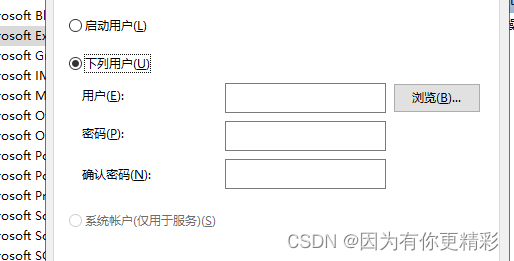
游览选择管理员
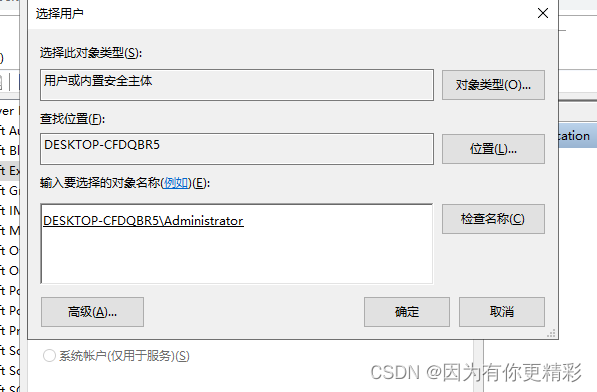
最终输入密码即可